A Practical Guide to Google SEO for Export Websites
Build your export website around three actions an overseas buyer needs to take. Find the right product family, verify the specification, and request a quote with enough detail for your sales team to respond. Give each product family a permanent URL, link to its products with descriptive text, and put the essential specifications on the page.
Start with one product family and one priority market. Have sales and engineering review the catalogue together. Sales can bring the language buyers use in requests for quotation (RFQs). Engineering can confirm which specifications, drawings, and certificates the company can publish.
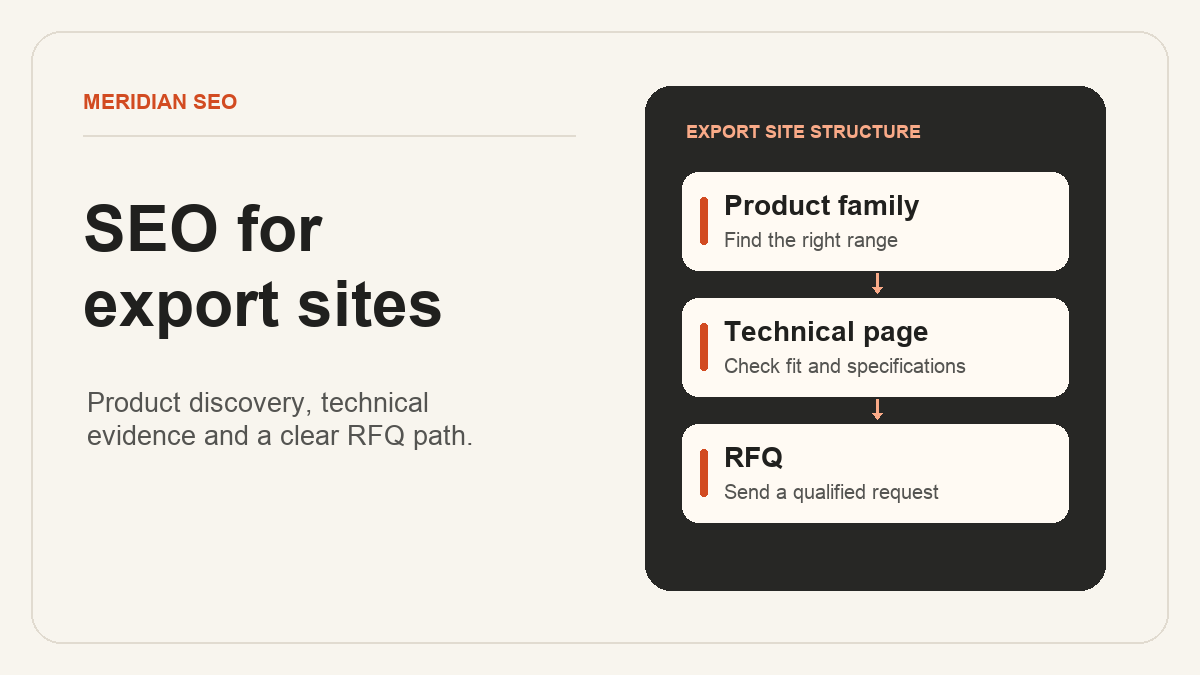
Diagram by Meridian SEO.
Give each buying question a page
Use recent RFQs, distributor questions, and existing search data to make a list of buying tasks. Group queries by the decision a buyer is trying to make. A category page helps buyers compare products. A product page answers questions about an orderable item or clearly defined range. An application page earns its place when it helps buyers choose products for a specific operating environment. Meridian SEO's keyword research guide
Give every priority page at least one incoming link from a relevant page on your site. On a category page, use a specific label such as “316 stainless steel hose fittings.” Use ordinary HTML links with an href for navigation, including product cards and language choices. Write a distinct page title that names the product or application. Google's crawlable link guidance
Worked example for a stainless steel fittings exporter
Suppose a manufacturer wants inquiries from German distributors. Its English category page links to a product page for a threaded hose adapter. The product page shows the material grade, hose size range, available thread standards, and a dimensioned drawing. The drawing is available as a download, and the values buyers use to select a part appear in an HTML table. Engineering approves the table against the current drawing revision.
The product's quote form carries the part number and asks for the required quantity, destination country, and thread option. A buyer who needs a custom part can attach a drawing. Sales checks that the received inquiry includes the product context and arrives in the correct queue.
The exporter publishes a German equivalent at its own URL, using terminology checked by a distributor and the documentation available for that market. Each page links to the other in a visible language selector. Both pages declare the English and German URLs with hreflang. Google's guidance on multilingual sites
Test the catalogue before releasing it
Use a list of priority URLs and assign an owner to each check. For a small pilot, ten URLs can cover the homepage, product category, representative products, a localized page pair, and the inquiry flow.
- Follow the navigation. Start from the homepage on a phone, find a product, read its specifications, and submit a test RFQ. Verify the product and delivery details in the received record.
- Check the pages intended for search. Verify that these URLs return HTTP 200, allow crawling and indexing, and declare the intended canonical URL. List the canonical search pages in the XML sitemap. Google's SEO Starter Guide
- Check changed addresses. If you are replacing a catalogue, map each changed URL with an appropriate replacement to its destination. Test the permanent redirects and update internal links to the final URLs. Google's site migration guidance
- Inspect the live release. After deployment, run a live URL Inspection test for each priority template and check that Google can access the page and render essential information. Review indexed status separately as Google processes the release. Search Console URL Inspection
A documented check makes the handover easier to reproduce. On October 15, 2026, Meridian’s browser retest for AllScale followed a 301 redirect to an HTTP 200 page with 10 articles. A separate request still returned the older version that day. Record the response and browser checks so the team can investigate discrepancies after a release. AllScale technical work record
Review discovery and quote quality
Save the date of launch, the target country, and the set of URLs you intend to track. In Search Console, compare clicks, impressions, and query patterns for the same page set and country across two equal reporting windows. For an entirely new catalogue, use the first complete window as the baseline. Search Console's Performance report
Ask sales to review inquiries alongside that search report. Agree on what qualifies an RFQ, such as a supported product, destination, and usable quantity or specification. If prospects repeatedly leave the thread option blank, check whether the catalogue and the form use the same terminology. Use the next release to address the specific problem you observe.
For help assigning the work between your team and a supplier, see how to choose a manufacturing SEO agency for exports and how to evaluate ranking promises.