SEO for export product pages. Help buyers compare, specify and request a quote.
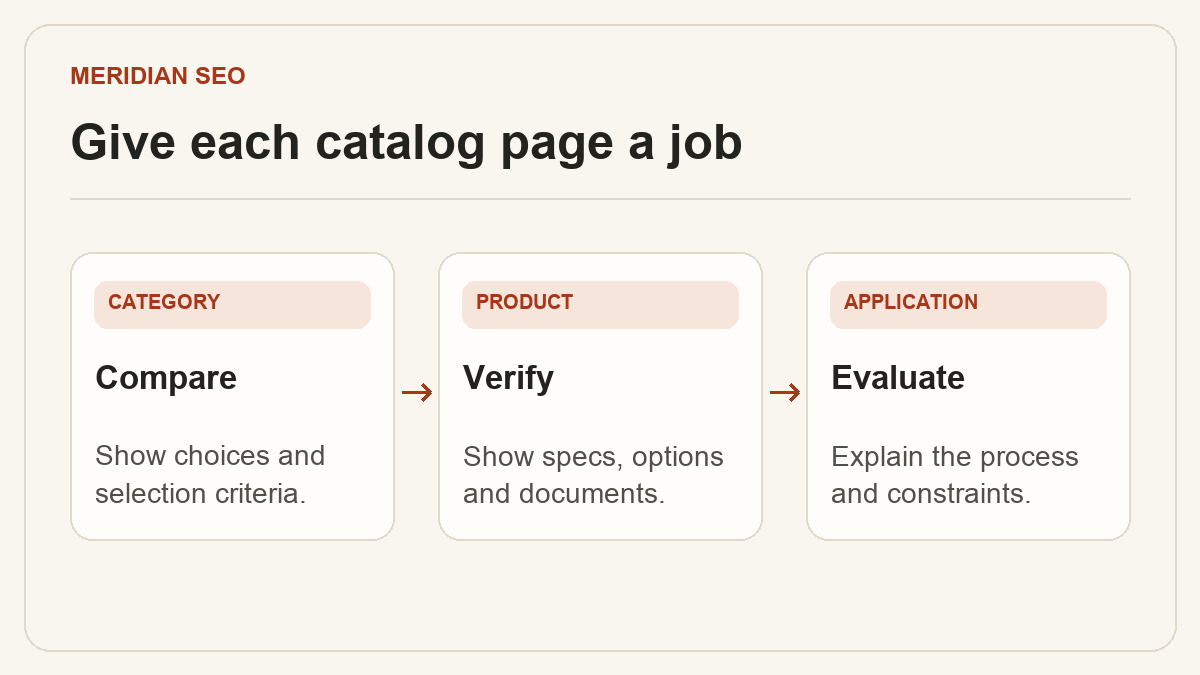
A B2B catalog needs pages for different buying decisions. In this illustrative industrial enclosure catalog, a category helps buyers compare four enclosure families, a product page documents one model, and an application page explains how to select an enclosure for a washdown area. The search intent, evidence and next step differ on each page.
01
Give each page a decision to support
Write the buyer’s question beside each planned URL. A category for stainless steel enclosures helps a buyer narrow the range by material, installation and dimensions. A model page helps an engineer verify whether a specific SKU fits. An application page explains selection constraints for an operating environment and links to the relevant models.
Use the category to explain meaningful differences between families.
Use the model page for dimensions, drawings and ordering options.
Publish an application page when you can explain requirements unique to that use.
For an illustrative wall-mount model, start with a row for 400 × 300 × 200 mm overall dimensions and state the axis order. Keep exterior and usable interior dimensions distinct. Give each field its units and link to the current drawing revision. Provide a PDF for handoff and keep essential selection details readable in HTML.
Use clear table headers for attribute, value and condition.
Record the drawing owner and revision in your publishing brief.
Check tables and downloads on a narrow screen.
03
Connect claims to engineering evidence
Specify which configurations a test report or certification covers. If a cable entry or gasket changes the enclosure rating, disclose the condition beside the claim. Use an annotated photo to show mounting points or clearances when those details help. Ask engineering to review specifications, and show where buyers can request a drawing or supporting document.
Attach evidence to the configuration named on the page.
Describe the limits of custom options and typical lead times when known.
Use descriptive image alternatives for information conveyed visually.
04
Link the catalog around buyer decisions
Use ordinary links from category pages to model pages and from application pages to compatible families. Link back to the relevant family when someone reaches a model directly from search. Check whether each faceted view has a distinct reason to appear in search before adding it to the sitemap. Review optional Product markup against the requirements for the relevant Google search feature and represent only supported product information.
Check that navigation links appear in the rendered HTML.
Include intended canonical URLs in the sitemap.
Test required structured data fields when using Product markup.
05
Test the request for quote handoff
Ask a reviewer to select a model and submit a test request from the model page. Pass the model and language context into the form. Ask for enough detail to route the inquiry, such as quantity, installation environment and destination, and confirm that the completed submission reaches the intended inbox or CRM.
Give the form a useful completion message.
Check inquiry routing and mobile usability before publication.