Technical SEO launch checklist for export websites. Verify the production URLs buyers need.
Before an export website goes live, make a list of the pages buyers should be able to find in Google and test what those URLs actually return. A launch sample for a valve supplier could include its home page, stainless steel ball valves category, one product detail, an application page, a translated counterpart and its inquiry form. Repeat the sample after deployment and keep the results as a baseline.
01
Make a URL inventory by template
Record each sample URL, its page type, whether it should appear in search, its intended canonical and its previous address if one exists. Include the URLs that pose different risks. A filter page may generate multiple URL variants, a discontinued product may have a replacement, and a private staging copy should require access credentials.
Choose a stable public hostname that the business controls. If the hostname changes, keep an old-to-new URL map and verify the old host still serves the planned redirects.
Give each intended search page one stable address
Assign a person to verify each template
Sample the busiest existing pages during a redesign
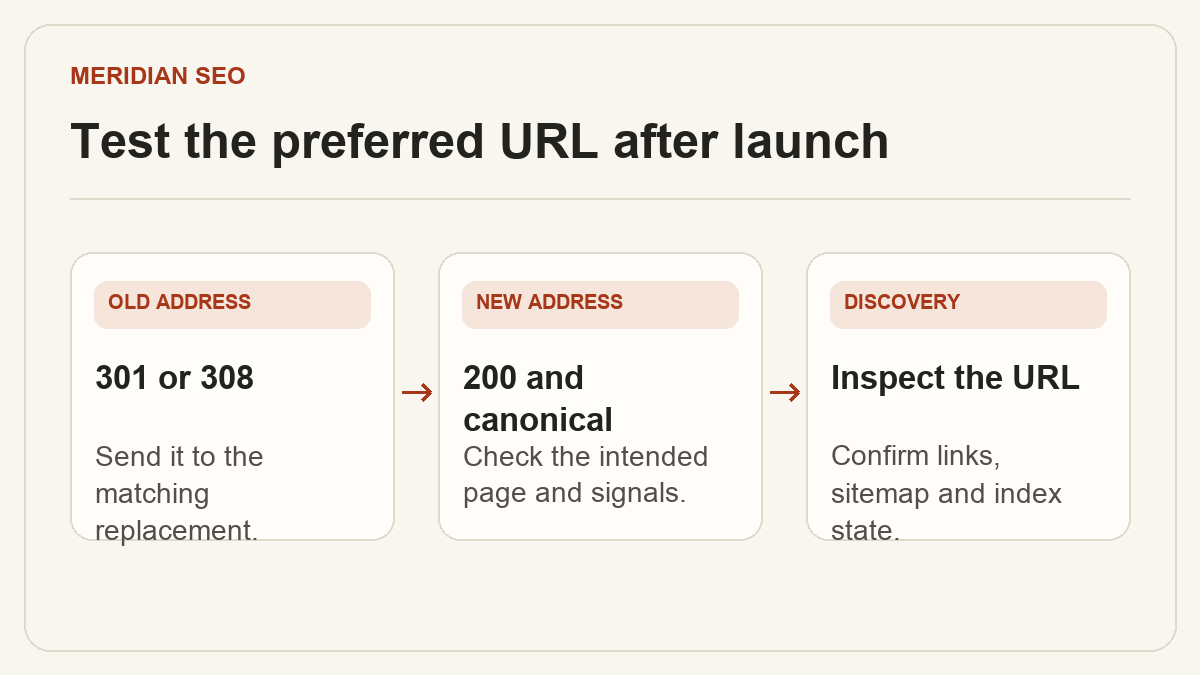
An intended search page should return HTTP 200, show its main content and expose ordinary links to important pages. Check the response headers and rendered mobile page for inherited staging directives or missing content. A catalog returning a 200 error screen still needs a repair.
Check both robots.txt access and robots directives
Confirm each canonical points to the preferred live URL
Open the page on a narrow viewport and find the inquiry action
Test availability from the markets you serve and investigate recurring 429 or 5xx responses.
03
Map permanent moves to close replacements
For a permanent move, send the old URL directly to the matching new address with a server-side 301 or 308. A moved DN50 valve model should go to its matching specification or a genuinely equivalent successor. Return 404 or 410 when a removed page has no relevant replacement. Update old internal links so they reach the destination directly.
Verify the final URL and its canonical after each redirect
Check for loops and unnecessary hops
Keep redirect records with the release
04
Publish a sitemap of preferred URLs
List the canonical, indexable pages you want Google to discover. Link important categories and products from relevant pages as well. Submit the sitemap in Search Console and check its fetch status. The sitemap is a discovery aid, and a successful fetch alone establishes neither indexing nor ranking.
Remove redirected, missing and intentionally excluded URLs
Use the public HTTPS hostname consistently
Update lastmod when the page has a meaningful change
05
Diagnose a missing page in order
Use URL Inspection to compare the indexed information with a live test. For discovery or crawl issues, check links, response codes and robots rules. For canonical issues, inspect the chosen canonical and conflicting signals. If a URL is indexed but draws few impressions, compare the content with the intended query and check the matching page and country in Performance.
For an ordinary catalog page, use URL Inspection and your sitemap for discovery checks. Google limits the Indexing API to eligible job postings and livestream pages with the required structured data.
Request a recrawl after a material fix to a priority URL
Use a sitemap to surface a batch of changed catalog pages
Record dates, URL samples and outcomes for the next review