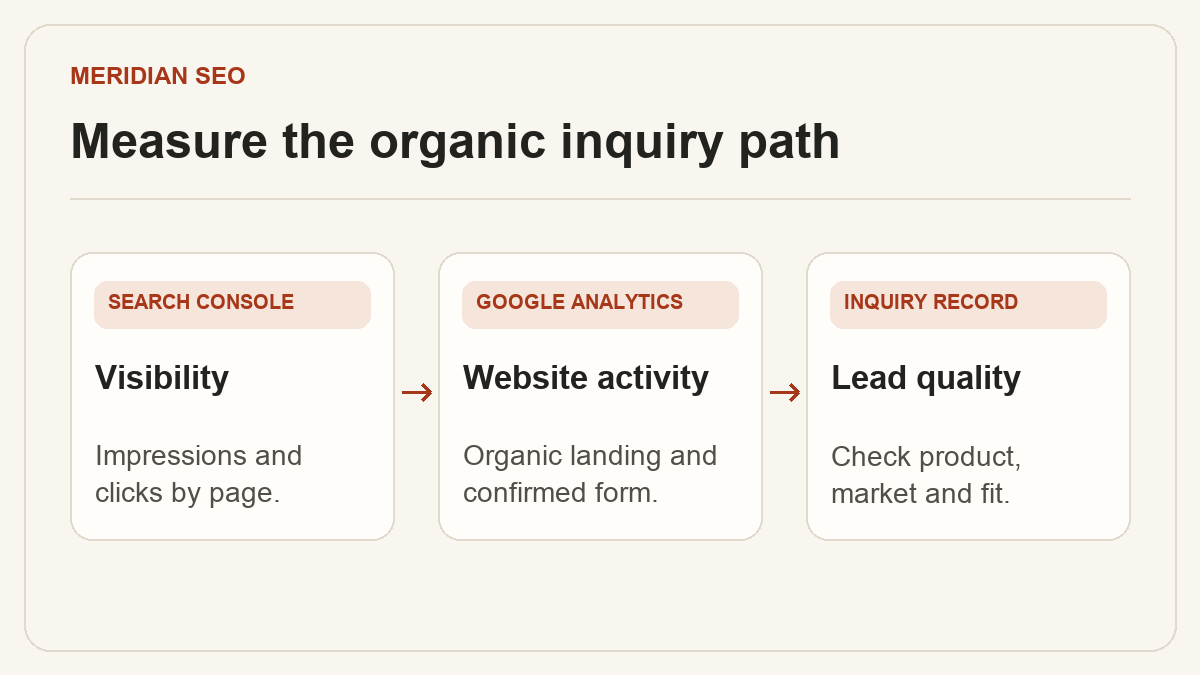
Track organic B2B inquiries. Measure visibility, completed forms and qualified leads.
Use Search Console to measure visibility in Google Search, GA4 to measure activity on the site, and the CRM to qualify requests. In this illustrative month, an export catalog records 310 Google Search clicks, 264 GA4 sessions from google / organic and 12 tracked quote requests. Sales qualifies seven requests in the CRM. Each number answers a different question.
01
Build a baseline by page, market and intent
In Search Console, group category, model and application pages and compare the same search type across periods. Review clicks, impressions and click-through rate by page and country. Check specific query groups when average position changes. A broader mix of queries can move an aggregate average even when important existing queries are steady.
Keep country, device and search type comparable.
Review branded and nonbranded queries separately when the available query data supports it.
Record the page group and reporting dates beside every number.
Treat a manual ranking check as a snapshot. Record the query, device, location and date.
Send GA4’s recommended generate_lead event after the form receives a successful response. Use a form identifier without personal information. Mark the verified event as a key event when it represents a completed request for quote (RFQ). If several forms use generate_lead, create an RFQ-specific event using the form identifier and designate the appropriate event for reporting.
Test success, invalid fields and a failed response in DebugView.
Confirm that reloading the confirmation screen does not duplicate a lead.
Keep emails, phone numbers and submitted text out of analytics payloads.
03
Qualify inquiries using the CRM
Record the page group and channel on the CRM record when available. Agree on a qualified inquiry definition with the sales team, such as a supported destination, an identifiable product and a plausible order size. Deduplicate repeat submissions and filter spam before calculating the qualification rate. In the sample, seven qualified inquiries out of 12 tracked requests is about 58%, assuming the two records reconcile.
Record missing attribution separately.
Report raw submissions, valid inquiries and qualified inquiries as separate counts.
Compare site sessions and lead totals at aggregate level.
04
Investigate the stage that changed
If impressions drop on a group of pages, check demand, coverage and recent releases. If clicks fall while impressions hold, inspect query mix, click-through rate and result appearance. If clicks hold and tracked requests fall, test the form, tag and confirmation flow. If request totals hold while qualification falls, review the product, country and customer profiles of the inquiries.
Compare with equivalent dates and check seasonal patterns.
Review recent deployments, migrations or tracking changes.
Record the hypothesis and follow-up metric before editing.