WordPress SEO maintenance for export websites. Check what the theme and plugins publish.
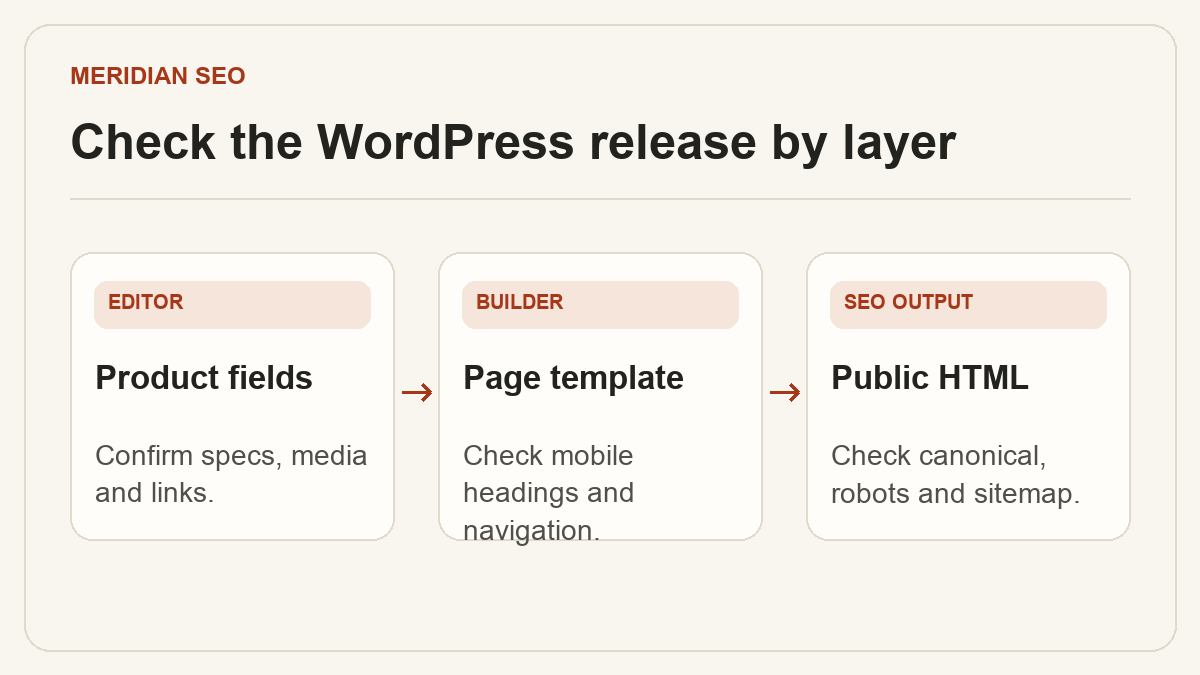
An export site’s product content, layout and SEO settings can come from different parts of WordPress. Before updating the site, identify which components control the public output. For example, a packaging supplier might enter film specifications in a custom post type, render the page with Elementor and set canonical URLs in an SEO plugin. Verify all three layers on a representative product after a change.
01
Give editorial and release access to the right people
Keep named accounts for editors and administrators. Give each person the capabilities they need, including any permissions attached to a custom product post type. Assign one owner to maintain the SEO plugin, another to approve production changes if your team separates those duties, and an engineer to investigate defects that depend on the theme or hosting.
Record which role can publish catalog entries
Document where titles, canonicals, redirects and sitemap settings live
Make a recoverable copy of the database and site files before changes that affect templates, plugins or WordPress itself. Protect staging behind authentication. Keep the production hostname and indexing settings explicit in the release checklist, since copying staging settings to the live site can accidentally hide public URLs.
Confirm the team can restore the backup
Test the update on a protected staging instance
Record active theme, builder and SEO plugin versions
03
Inspect how the builder renders each page type
Elementor, Avada and Enfold installations can expose different editing controls. Judge each by its published behavior. Open a category, a product and an article on mobile and desktop. Confirm the public page shows its main heading, complete specifications, accessible images, crawlable related-product links and the intended navigation. A builder swap needs an additional check for missing content or raw shortcodes.
Compare the same sample URLs before and after the change
Check the initial HTML and the rendered page
Verify that common fields still appear on new products
04
Review SEO output after content and plugin edits
Inspect the final HTML for the title, description, canonical and robots directives. A theme and two plugins may all offer overlapping features. Decide which component should own each setting and verify the output for products, category archives and localized pages. If an editor changes a slug, check the old URL, internal links and the sitemap.
Compare changes against your pre-release sample
Run an inquiry through the form and check receipt
Confirm search directives on the live host
05
Keep a repeatable release record
Save the affected URLs, test results, versions and the rollback owner. Clear any affected site or CDN cache, then test as a signed-out visitor. For an urgent repair, repeat the affected template checks and watch Search Console for unexpected indexing changes over the following weeks.
Capture a baseline from live HTML
Retest after deploy and cache refresh
Log unexpected changes with the URL and reproduction steps