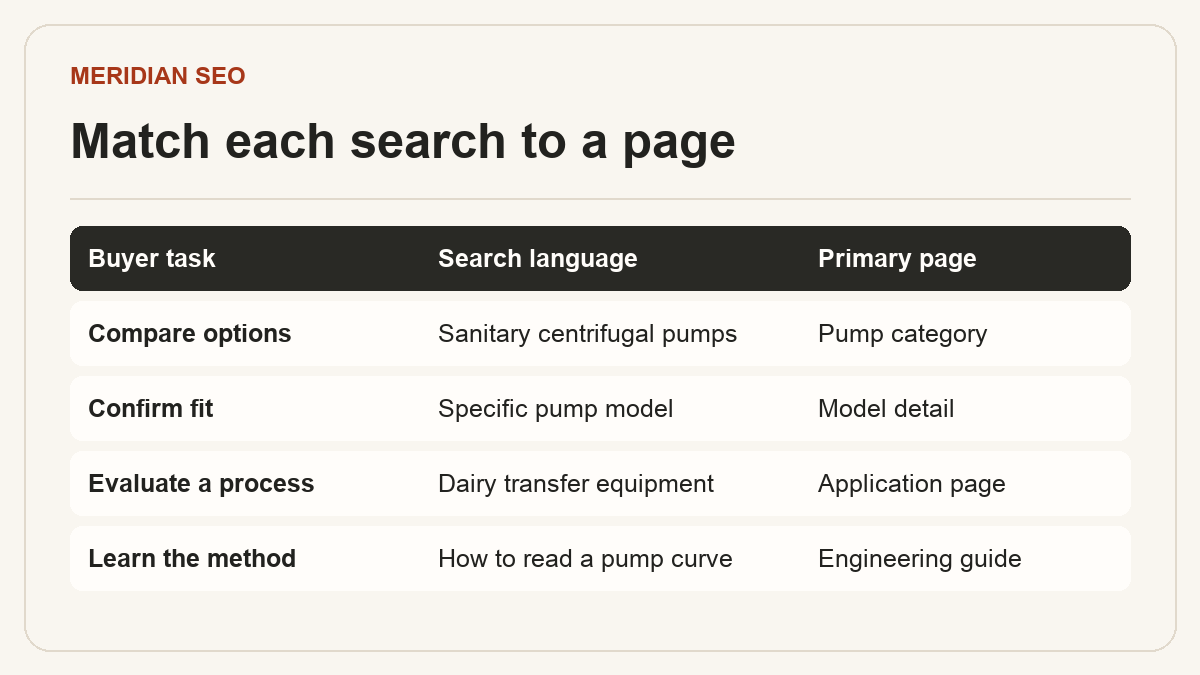
Keyword mapping for export websites Assign a page to each buyer task.
A keyword map connects the language buyers use to the pages that can answer them. Start with the products you can supply and the markets you can serve. Group queries by the decision they represent, then choose one primary URL for each distinct task.
01
Collect buyer language and verify intent
Start with your product data, approved technical documents, questions from sales and support, and available Search Console queries. Save the market and language beside each phrase. For an existing site, include the pages already earning impressions for the topic.
Inspect results in the intended market. A query about pump sizing may lead to calculators or engineering guides, while a model-number query may lead to product sheets. Results vary by place and time. Record the observed page type and what a buyer would need to make progress.
Record the query family, country, language, intent and current URL.
Use volume and difficulty estimates to compare candidates after checking fit and evidence.
For a new catalog, start with a product family you can document well and expand after reviewing search demand and coverage.
In an illustrative pump catalog, the category serves buyers comparing sanitary centrifugal pumps, while a model page answers whether a specific pump meets a required duty point. An application page for dairy transfer can explain cleaning and process constraints across several models. An engineering note can show how to interpret a pump curve before the buyer picks equipment.
Review variants together. A size, fitting or material usually belongs in the product specifications if it leaves the buyer task unchanged. A separate page can earn its place when a configuration serves a distinct application and the team can document the differences with verified specifications, selection guidance and a useful next step.
Use the terminology buyers need to verify a product, such as fitting names, units, relevant standards and accepted synonyms. Add terms where they clarify a requirement or specification. Google discourages repetitive keyword stuffing.
Category → compare product families.
Model → confirm specifications, compatibility and available options.
Application → evaluate a process or operating constraint.
Guide → answer a recurring technical question.
03
Resolve overlapping pages with page-level evidence
Filter Search Console to a query family and compare the relevant pages over the same period. Two URLs can legitimately appear when they serve distinct tasks. If both answer the same question, check which page offers the strongest buyer evidence, gets relevant links and already serves the intended market.
Decide whether to keep both, clarify the scope of each, or merge the useful material. If a duplicate is permanently retired and has a clear successor, update internal links and redirect it to the replacement. Keep the rationale in the map so new pages do not recreate the overlap.
Add a disposition and owner to each row: keep, revise, merge or create.
Check the linked page, headings and inquiry path before marking a row complete.