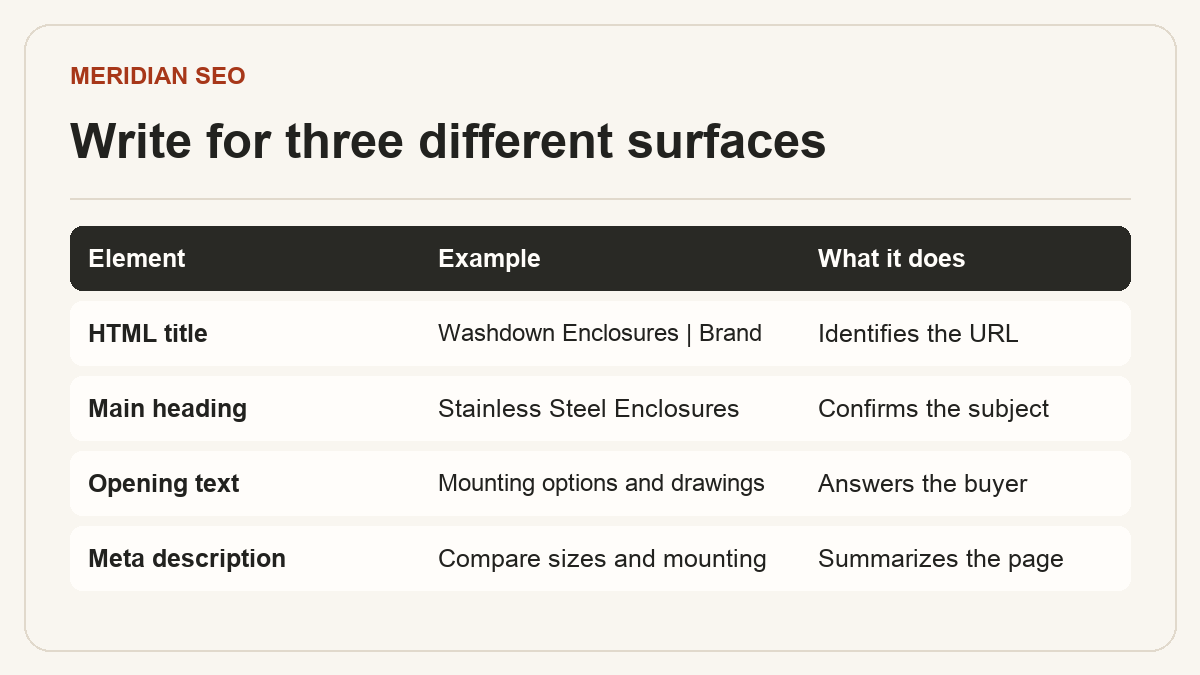
SEO titles, headings and snippets Make the page easy to identify.
A page title identifies the result, a main heading confirms where the reader landed, and the opening copy answers why the page is relevant. Align all three around the same buyer task while giving each the details it needs.
01
Write a title that identifies the page
Give each important URL a distinct HTML title. A category title can identify a family and meaningful use, such as Stainless Steel Enclosures for Washdown. A model title can add the model identifier and the differentiating attribute where verified. Add the brand if it helps readers recognize the source.
Read the titles from a catalog export together. If a sitewide template repeats a sales phrase or hides the model identifier at the end, improve the pattern at the template level. Google can build its title link from the title element, main visual title, headings and other signals, so keep the visible page consistent with the title's promise.
For an article, name its actual subject, such as How to Specify a Washdown Enclosure for a Packaging Line. On a localized page, use the language and writing system of the primary content in the title.
Compare a homepage, a category, a model, and an application page.
Flag missing titles, near-duplicates, obsolete names and unsupported superlatives.
A concise main heading identifies the subject. The opening paragraph should add the most useful decision information: what the product does, what configuration this page covers, and where the reader can verify fit. Follow with descriptive subheadings such as Available mounting options or Compatible cable entries so buyers can scan directly to the relevant part.
For example, a model page can name the enclosure family in its heading, then state which mounting formats are offered in the opening copy. A visible specification table can give buyers the enclosure dimensions and refer to the revision-controlled drawing. Give each term a place where it is useful to a buyer.
Use headings to organize the page for readers and assistive technology.
Check desktop and mobile output to catch hidden or repeated template headings.
03
Review descriptions and actual search results
Write a page-specific description that summarizes the content and the next step. Google usually creates a snippet from page content and may use the description when it better summarizes the result. A snippet can change with the query, so use the observed search result to identify which part of the page matches what readers ask.
For a page with impressions, record the URL, query, country, device and date before changing its title or description. After the update has been crawled, compare the same query family and page in Search Console. Read clicks and impressions alongside average position and the query mix before attributing a change to the edit.
For an answer such as which mounting options are available, state the supported options in a short paragraph near the specifications. Google chooses when to show a featured snippet from a page. It ignores the meta keywords tag.
Inspect the live HTML title, heading and description after publishing.
Keep one dated example of the search result with the conditions that produced it.